Translate

Software Club By Sumanth

Software's Required Software Issues Mail Me @ softwareclubbysumanth@gmail.com

Software Club By Sumanth

Software's Required Software Issues Mail Me @ softwareclubbysumanth@gmail.com

Software Club By Sumanth

Software's Required Software Issues Mail Me @ softwareclubbysumanth@gmail.com

Software Club By Sumanth

Software's Required Software Issues Mail Me @ softwareclubbysumanth@gmail.com

Software Club By Sumanth

Software's Required Software Issues Mail Me @ softwareclubbysumanth@gmail.com

Showing posts with label Articles. Show all posts

Monday, August 5, 2013

How to Change Keyboard Language in Windows 8

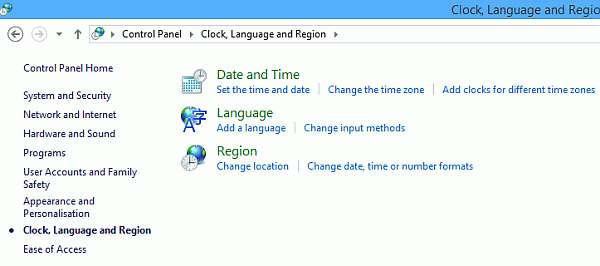
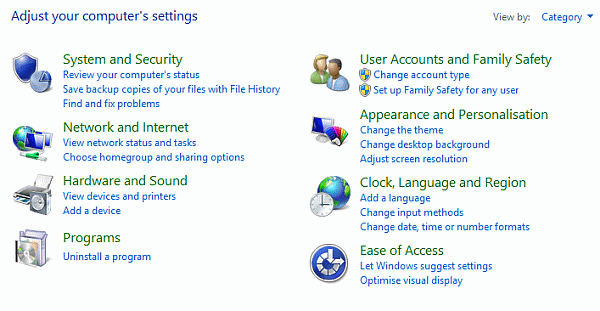
Step 1 : Open Control Panel

Click on Clock, Language and Region
Clipboard01.gif

Step 2 : Click on Add Language

Clipboard02.gif

Step 3 : Click on Options

Clipboard03.gif

Step 4 : Click on Add an input method
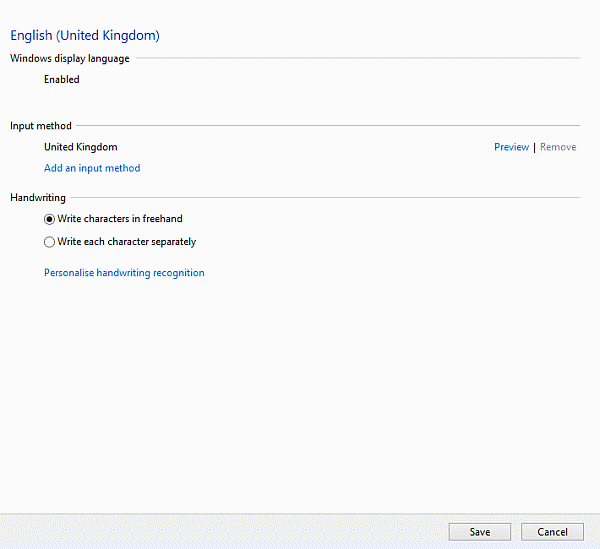
Clipboard04.gif

Step 5 : Select a Language of your Choice and Click Add
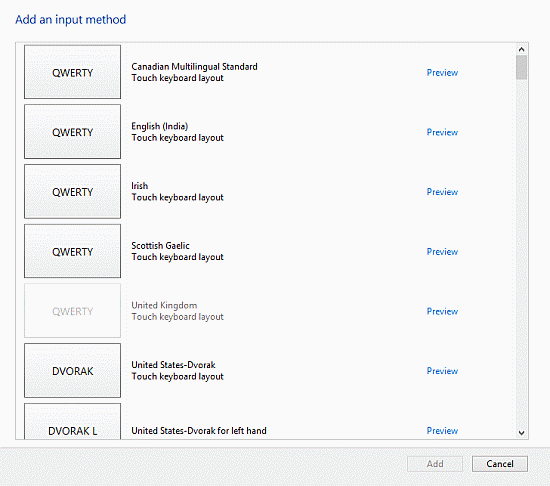
Clipboard05.gif

Step 6 : Press win + space from the keyboard

Thanks for viewing my article


How to install Windows 8 through pendrive

Step 1

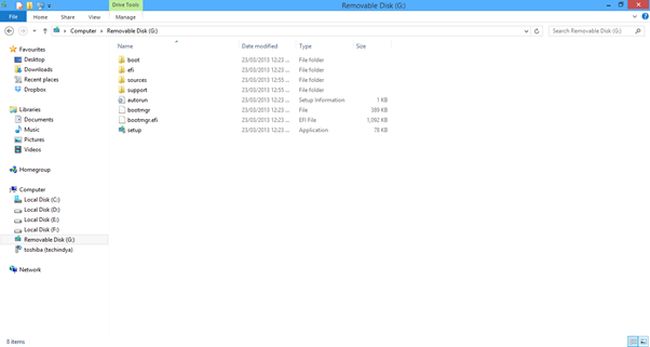
Connect your Pendrive to your system. You must then format your Pendrive. Now copy all the Windows 8 files to your Pendrive.

Copy-Windows8-files--to-your-pendrive.jpg

Step 2

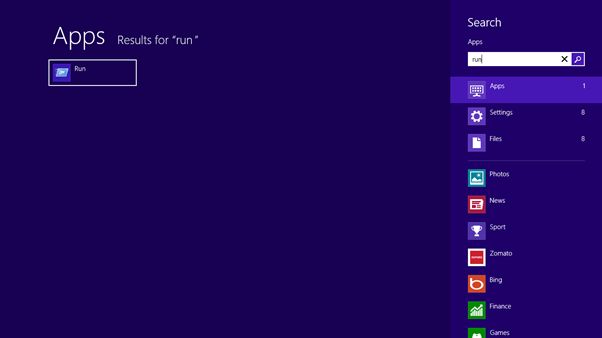
Now you open "Command Prompt" by pressing Run in the StartMenu.

Command-Prompt-by-pressing-Run.jpg

Step 3

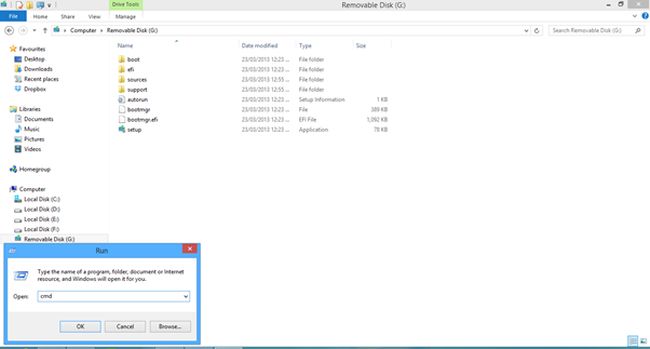
Now type "cmd" in the popup window.

cmd-in-popup-window.jpg

Step 4

A command prompt will be generated; in that you type: "cd \".

Now type: "diskpart"

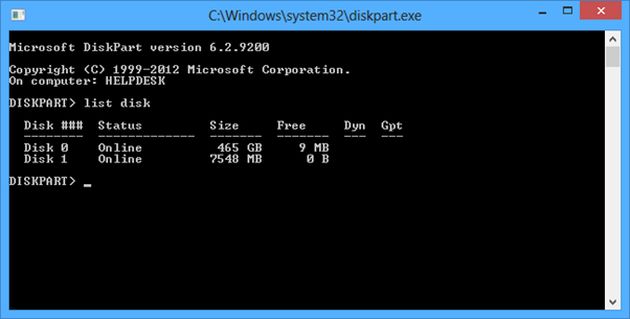
A new command prompt will be generated; in that type: "list disk".

list-disk.jpg

Step 5

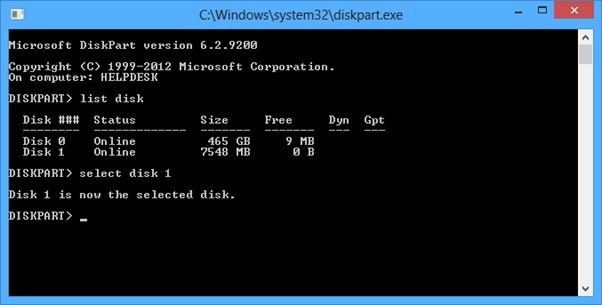
Now select your external device, as in the following.

Select disk 1
list-disk1.jpg

Step 6

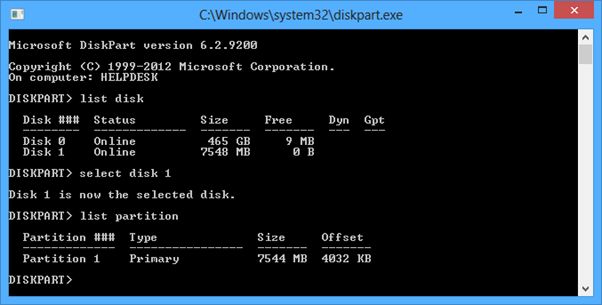
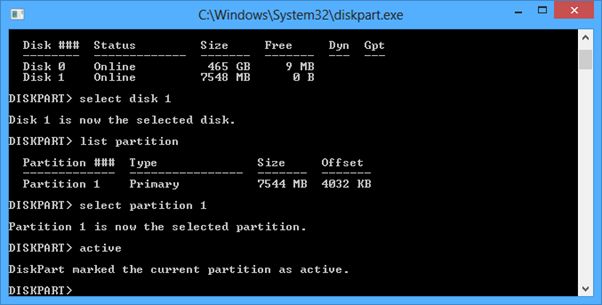
Now type "list partition".

list-disk2.jpg

Step 7

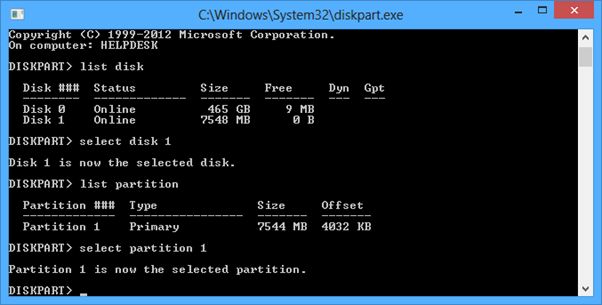
Now type "select partition 1".

list-disk3.jpg

Step 8

Now type "active".

list-disk4.jpg

Step 9

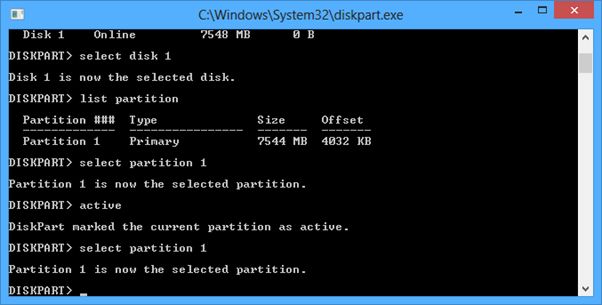
Now type "select partition 1".

list-disk5.jpg

Step 10

Now type "list partition".

list-disk6.jpg

Step 11

Now press "Exit" and restart your system.

Now for the first boot device select your removable disk.

Thanks for viewing my article.